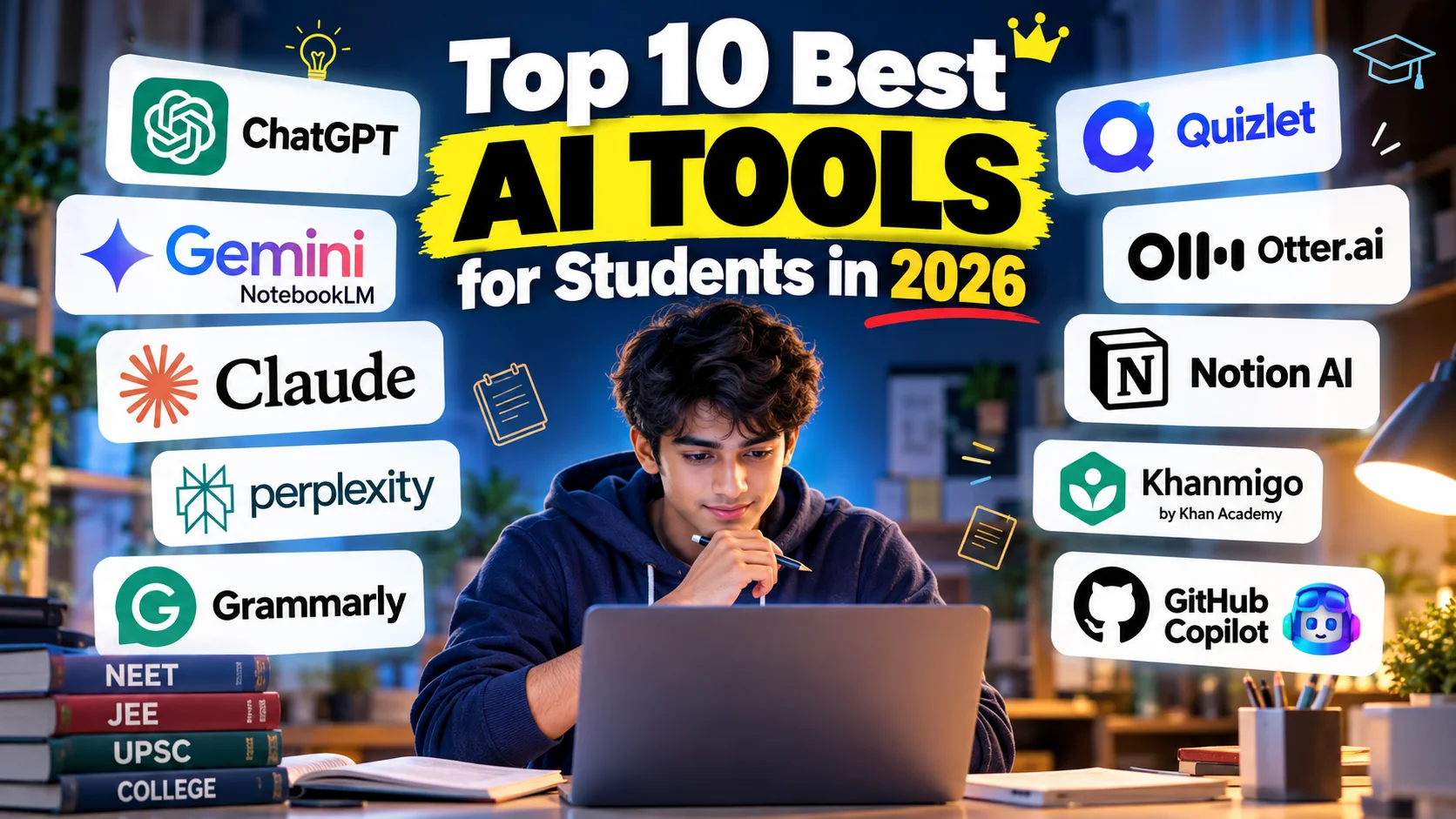
Top 10 Best AI Tools for Students in 2026: Free AI Study Tools for Exams, Notes, Research & Assignments
Are you searching for the Top 10 Best AI Tools for Students in 2026? Artificial intelligence is changing the way students study, prepare for competitive examinations, write assignments, conduct research, and organise their daily schedules. From explaining difficult Physics numericals to summarising lengthy PDFs and creating revision quizzes, AI tools can make studying more organised and efficient.
Whether you are a school student, college student, NEET aspirant, JEE aspirant, UPSC candidate, engineering student, or working professional pursuing an online degree, the right AI study tools can help you learn more effectively.
In this guide, we explore the Top 10 Best AI Tools for Students in 2026, including free AI tools for students, AI homework helpers, research assistants, PDF summarisation tools, grammar checkers, note-taking applications, and AI coding assistants.
You will also discover which AI tools are suitable for different subjects, how to use them responsibly, which free tools are worth trying first, and answers to frequently asked questions.
📊 AI Tools for Students in 2026: What Do the Numbers Say?
Artificial intelligence is no longer limited to technology professionals. Students worldwide are using AI assistants to understand complex topics, generate revision materials, improve writing, and explore new subjects.
According to the Digital Education Council’s 2024 Global AI Student Survey, 86% of surveyed students reported using AI in their studies, with 54% using it weekly and 24% daily, as reported by EY-Parthenon India. These figures demonstrate the growing role of AI in education, although they should not be interpreted as a direct measurement of every student in India.
India also has a substantial student population. The Ministry of Education’s UDISE+ 2024–25 report recorded approximately 24.69 crore school students in India. The official UDISE+ portal subsequently reported approximately 24.72 crore school students for academic year 2025–26. These figures refer to school enrolment, not the number of AI users, and do not include a complete combined count of school and higher-education students.
A separate 2025 Bharat Survey for EdTech found that 35% of children who already used educational technology platforms were using generative AI tools for learning. This is a different population from all enrolled students, so the percentage should not be multiplied by India’s total school enrolment to estimate the number of AI users.
The takeaway is clear: AI is becoming an important part of modern learning, but students should choose tools according to their needs rather than assuming that every AI application is equally useful.
🏆 Top 10 Best AI Tools for Students in 2026
Here is a quick overview of the tools covered in this guide.
| Rank | AI Tool | Best For |
|---|---|---|
| 1 | ChatGPT | General study help and explanations |
| 2 | Google NotebookLM | Studying PDFs and personal notes |
| 3 | Claude | Long documents and writing feedback |
| 4 | Perplexity AI | Research and sourced answers |
| 5 | Grammarly | Grammar and writing improvement |
| 6 | Quizlet | Flashcards and memorisation |
| 7 | Otter.ai | Lecture transcription and meeting notes |
| 8 | Notion AI | Notes, planning, and organisation |
| 9 | Khanmigo | Guided learning and tutoring |
| 10 | GitHub Copilot | Programming and debugging |
This is an editorial selection based on common student use cases, not an official industry ranking. Features, prices, usage limits, and student eligibility can change, so check each provider’s website before subscribing.
1. ChatGPT — Best Overall AI Tool for Students 🤖
ChatGPT is a versatile AI assistant that students can use for explanations, brainstorming, study planning, practice questions, and writing feedback.
Instead of searching through multiple websites for a basic explanation, you can ask ChatGPT to explain a concept at your current level and then request examples or practice questions.
Best uses for students
- Understand difficult Physics, Chemistry, Biology, Mathematics, and computer science concepts.
- Generate chapter-wise revision questions and mock quizzes.
- Create realistic study timetables for school examinations and competitive tests.
- Summarise material that you provide, subject to file and plan limits.
- Improve essay structure and receive feedback on grammar and clarity.
- Practise interview questions and learn through step-by-step examples.
Example prompt
“Explain Newton’s laws of motion in simple language. Give me three everyday examples, five NEET-level multiple-choice questions, and detailed explanations for the answers.”
You can also ask ChatGPT to act as a tutor by asking one question at a time instead of immediately revealing the answer.
Free or paid? ChatGPT offers free access and paid plans with different models, features, and usage limits. Check the official ChatGPT website for current details.
Verdict: A useful starting point for students who want one flexible AI assistant for different subjects.
2. Google NotebookLM — Best AI Tool for PDFs and Study Notes 📚
Google NotebookLM is particularly useful when you want to study your own materials rather than receive a general explanation from a chatbot.
You can create a notebook using supported source materials such as PDFs, documents, and other available formats. NotebookLM can then help you summarise those sources, explore connections, generate study materials, and create audio overviews where supported.
Best uses for students
- Summarise lengthy textbooks, class notes, and lecture documents.
- Prepare chapter-wise revision notes.
- Generate questions from uploaded study material.
- Identify important concepts across multiple sources.
- Review content through supported audio overview features.
- Organise research material for projects and presentations.
Example prompt
“Use only the uploaded Biology notes to create 30 multiple-choice questions. Include four options per question, the correct answer, and an explanation supported by the source material.”
One major advantage is that NotebookLM is designed to ground responses in the sources you provide. However, its output can still contain errors, and source references should be checked.
Free or paid? A free version is available, with features and limits subject to change. Visit Google NotebookLM.
Verdict: An excellent option for students who regularly study PDFs, lengthy notes, and lecture materials.
3. Claude — Best for Long Readings and Writing Feedback ✍️
Claude is an AI assistant that can help students understand lengthy documents, structure arguments, analyse complex topics, and improve written work.
It can be especially useful when you need feedback on an essay or want to break a complicated reading into smaller, understandable sections.
Best uses for students
- Summarise lengthy readings and reports.
- Improve the organisation and clarity of essays.
- Explain difficult concepts using examples.
- Compare arguments presented in different documents.
- Brainstorm research questions and project ideas.
- Review code and explain programming logic.
Example prompt
“Review my essay for logical gaps, unclear arguments, and weak evidence. Do not rewrite the entire essay. Explain the five most important improvements I should make.”
This approach helps you improve your own writing instead of simply accepting a generated replacement.
Free or paid? Free and paid access options may be available depending on your region and current plan. Check Claude’s official website.
Verdict: Worth considering for students who regularly work with essays, reports, and detailed reading material.
4. Perplexity AI — Best AI Tool for Research and Sources 🔎
Perplexity AI is designed around answering questions using web information and presenting sources that users can inspect.
It can be useful when you need to explore a topic, discover relevant articles, or identify sources for a school or college project.
Best uses for students
- Research current topics and recent developments.
- Discover articles and reports related to an assignment.
- Find sources for further reading.
- Compare explanations from different publications.
- Build an initial outline for a research project.
- Identify original reports that deserve closer examination.
Example prompt
“Research the impact of artificial intelligence on education in India. Prioritise official government reports and peer-reviewed research. Provide publication dates, links, and a short explanation of each source’s relevance.”
Always open the original sources. A citation does not guarantee that the source supports every sentence in an AI-generated answer, and not every website is academically reliable.
Free or paid? Free and paid options are available, with varying limits. Visit Perplexity AI.
Verdict: A helpful research assistant, particularly when source discovery and current information are important.
5. Grammarly — Best AI Tool for Grammar and Writing 📝
Grammarly helps students improve the readability and correctness of their writing. Depending on the available plan and application, it can suggest grammar corrections, clearer sentences, and changes in tone.
Best uses for students
- Correct spelling and grammar mistakes.
- Improve sentence structure and readability.
- Check whether an email sounds professional.
- Polish scholarship applications and personal statements.
- Improve clarity in reports and presentations.
- Identify repetitive or awkward phrasing.
Example prompt
“Review this paragraph for grammar, clarity, and readability. Preserve my original meaning and writing style. Explain any major corrections.”
Students should use writing assistants to improve their communication skills rather than automatically accepting every suggested change.
Free or paid? Grammarly offers free and paid options. Features differ by plan. Visit Grammarly.
Verdict: Useful for students who want to submit clearer, more professional written work.
6. Quizlet — Best for Flashcards and Memorisation 🧠
Quizlet helps students practise recalling information through flashcards and other study activities. Its available AI features can help create study materials from supported content.
Active recall involves trying to retrieve information from memory rather than simply reading it repeatedly. This makes flashcards useful for vocabulary, definitions, formulas, and factual revision.
Best uses for students
- Memorise Biology terminology and scientific definitions.
- Revise historical dates and important events.
- Practise foreign-language vocabulary.
- Learn formulas and key concepts.
- Create question-and-answer revision sets.
- Review material before tests and examinations.
Example study set
For Biology, create cards with a question on the front and a concise answer on the back.
Front: What is the functional unit of the kidney?
Back: The nephron.
You can expand the card to include the nephron’s structure, function, and a relevant diagram in your own notes.
Free or paid? Quizlet offers free features and paid plans; the availability of AI features varies. Visit Quizlet.
Verdict: Particularly useful for students who need repeated practice with facts, terminology, and definitions.
7. Otter.ai — Best for Lecture Notes and Transcription 🎙️
Otter.ai provides AI-assisted transcription and note-taking for supported audio and meeting workflows. Students can use transcription tools to make lectures and discussions easier to review.
The usefulness of transcription depends on audio quality, accents, background noise, terminology, and the tool’s language support.
Best uses for students
- Transcribe eligible lectures or recorded discussions.
- Review important points after a class.
- Search transcripts for keywords.
- Prepare summaries from supported recordings.
- Organise discussion notes for group projects.
- Reduce the amount of manual transcription required.
Example workflow
After recording a lecture with the instructor’s permission, use a supported transcription tool to create a transcript. Review the transcript against your textbook, correct errors, and convert the important concepts into revision questions.
Important: Always follow institutional rules and obtain the required permission before recording lectures or other people.
Free or paid? Otter.ai has offered free and paid plans, with limits that may change. Check Otter.ai.
Verdict: A practical choice for students who need searchable lecture transcripts and organised discussion notes.
8. Notion AI — Best for Notes and Study Organisation 📅
Notion combines notes, documents, databases, and task management. Its AI capabilities can help students organise information and work with material inside supported Notion features.
It is useful for students managing several subjects, projects, assignments, and deadlines at the same time.
Best uses for students
- Organise notes by subject and chapter.
- Create assignment trackers.
- Maintain a revision calendar.
- Summarise supported pages and notes.
- Build project dashboards.
- Keep deadlines and study tasks in one workspace.
Example study dashboard
Create a workspace with the following sections:
- Physics: Concepts, formulas, numerical practice, and weak chapters.
- Chemistry: Reactions, equations, revision notes, and mock-test errors.
- Biology: NCERT reading progress, diagrams, and practice questions.
- Weekly planner: Study targets, completed tasks, and upcoming tests.
AI can assist with organisation, but the system works best when you update it regularly.
Free or paid? Notion offers free access and paid plans. AI availability and usage limits depend on the current offering. Visit Notion.
Verdict: Suitable for students who want a structured workspace instead of scattered notes and reminders.
9. Khanmigo — Best for Guided Learning and Tutoring 🎓
Khanmigo is an AI-powered learning assistant associated with Khan Academy. Its educational approach is designed to help learners work through problems and develop understanding rather than relying only on ready-made answers.
Its suitability depends on the subjects, availability, age requirements, and pricing offered in your location.
Best uses for students
- Work through mathematics problems step by step.
- Understand scientific concepts.
- Practise reasoning and problem-solving.
- Receive guided questions and hints.
- Identify misunderstandings and revisit foundational ideas.
- Build confidence by attempting problems independently.
Example prompt
“Help me solve this algebra problem. Do not give me the final answer immediately. Ask me one question at a time and provide a hint if I get stuck.”
This encourages active participation and helps you discover where your reasoning needs improvement.
Free or paid? Access and pricing can vary by product, user type, and region. Check Khan Academy and its Khanmigo information.
Verdict: A useful option for learners who benefit from guided practice and structured explanations.
10. GitHub Copilot — Best AI Tool for Coding Students 💻
GitHub Copilot is an AI coding assistant that can help programmers write code, understand unfamiliar functions, generate tests, and identify potential errors.
It is particularly relevant for computer science students, engineering students, software developers, and learners working on programming projects.
Best uses for students
- Understand unfamiliar programming syntax.
- Generate examples in Python, JavaScript, Java, and other supported languages.
- Explore debugging suggestions.
- Write and improve unit tests.
- Explain existing code.
- Practise algorithms and data structures.
Example prompt
“Explain this Python function line by line. Identify possible edge cases, suggest test cases, and explain why the current implementation may fail.”
Do not accept generated code without understanding it. Test the code, check its security, and make sure you can explain the solution yourself.
Free or paid? GitHub has offered free and paid Copilot plans, including student-related eligibility options. Availability and verification requirements can change. Check GitHub Copilot and GitHub Education.
Verdict: A strong candidate for students who are learning programming or developing software projects.
📊 Quick Comparison: Which AI Tool Should You Choose?
| Your Requirement | Suggested Tool |
|---|---|
| Understand a difficult concept | ChatGPT |
| Summarise your own PDFs | NotebookLM |
| Review a long essay | Claude |
| Find web sources for research | Perplexity AI |
| Improve grammar | Grammarly |
| Memorise definitions | Quizlet |
| Transcribe a permitted lecture | Otter.ai |
| Organise a semester | Notion AI |
| Learn through hints | Khanmigo |
| Write and debug code | GitHub Copilot |
You do not need to use all ten tools. Choose one or two that solve your biggest problems, learn their features, and add more only when you have a clear need.
💸 Best Free AI Tools for Students in 2026
If you are studying on a limited budget, begin with tools that provide useful features without requiring an immediate subscription.
Recommended free starting combination
1. ChatGPT: For general explanations, practice questions, brainstorming, and study planning.
2. Google NotebookLM: For working with your own PDFs, lecture notes, and source documents.
3. Perplexity AI: For exploring topics and discovering sources to verify.
4. Grammarly: For basic writing and grammar support.
5. GitHub Copilot: For eligible students who need coding assistance and meet the current access requirements.
This is a suggested combination, not a guarantee that every feature will remain free. Check the official websites for current usage limits, account requirements, and student offers.
🎯 Best AI Tools for NEET, JEE, UPSC, and College Students
Different students have different learning needs. Here is how to choose an AI tool according to your examination or course.
AI tools for NEET aspirants
NEET aspirants can use ChatGPT to understand concepts, NotebookLM to organise their own Biology notes, and Quizlet to revise definitions and terminology.
Useful activities include:
- Generate chapter-wise practice questions.
- Explain incorrect mock-test answers.
- Create revision checklists.
- Summarise supplied study notes.
- Prepare a timetable for Physics, Chemistry, and Biology.
Important: Verify factual answers against NCERT textbooks, official examination notices, and trusted study materials. AI-generated questions may contain incorrect answers or fall outside the prescribed syllabus.
AI tools for JEE aspirants
JEE aspirants can use AI assistants to understand derivations, practise problem-solving, and review mistakes.
Ask for hints before the complete solution. After solving a question, request a second method and compare the reasoning. This helps develop mathematical understanding rather than dependence on generated answers.
AI tools for UPSC aspirants
UPSC aspirants can use research assistants to discover official reports, organise current-affairs notes, compare policy arguments, and create revision questions.
Always verify current affairs, statistics, legal provisions, and government policies using original sources.
AI tools for college students
College students can benefit from Claude for reading and writing feedback, Perplexity for research discovery, Grammarly for editing, and Notion AI for managing projects and deadlines.
Students should follow their institution’s rules on AI assistance, citations, and independent assessment.
AI tools for engineering and computer science students
GitHub Copilot and ChatGPT can help explain programming concepts, explore algorithms, debug code, and prepare test cases. Students should still write, run, test, and understand their own solutions.
🧠 How to Use AI Tools for Studying More Effectively
Using an AI tool does not automatically mean you are learning. The most useful approach combines independent effort with targeted AI assistance.
Step 1: Attempt the question yourself
Before asking AI for an answer, spend a few minutes trying to solve the problem or recall the concept.
Step 2: Ask for a clear explanation
Tell the tool your current level and what you do not understand. Ask it to explain the concept in simple language.
Step 3: Request hints instead of complete answers
Ask for one hint at a time. This keeps you involved in the learning process.
Step 4: Practise without AI
Close the explanation and solve a similar problem independently. This helps you check whether you genuinely understand the concept.
Step 5: Verify important facts
Cross-check formulas, scientific facts, quotations, citations, and exam-related information against reliable sources.
Step 6: Review mistakes
Maintain a mistake notebook containing the original question, your error, the correct reasoning, and a similar practice problem.
For competitive examinations, the final test of learning is whether you can answer accurately without assistance.
⚠️ Disadvantages and Risks of AI Tools for Students
Although AI tools can be useful, they have limitations.
1. Incorrect answers: AI systems may produce convincing but inaccurate explanations.
2. Overdependence: Copying answers without understanding them can weaken independent problem-solving.
3. Outdated information: Some tools may not have access to the latest rules, results, prices, or official notifications.
4. Privacy risks: Uploading personal records, confidential assignments, or sensitive institutional documents may expose information unnecessarily.
5. Academic integrity: Submitting generated work as your own may violate your institution’s rules.
6. Subscription costs: Premium plans can become expensive when several tools are used together.
7. Biased or incomplete sources: AI-generated research may omit important perspectives or rely on weak sources.
The solution is to use AI as a learning assistant, not as a replacement for textbooks, teachers, original research, or your own reasoning.
🔐 Tips for Using AI Safely and Responsibly
- Check your institution’s AI policy before using generated material in assignments.
- Never invent citations or submit unverified references.
- Do not upload confidential information without authorisation.
- Verify important facts using official or original sources.
- Disclose AI assistance when required.
- Avoid copying complete answers without understanding them.
- Review generated code before running it.
- Use AI to identify weaknesses in your understanding, then practise independently.
Responsible use can help you gain the benefits of AI while protecting your academic integrity and learning skills.
The Top 10 Best AI Tools for Students in 2026 Is Ideal for Anyone Looking For
If you are searching for the Top 10 Best AI Tools for Students in 2026, this guide also covers related educational technology topics, including:
- Best free AI tools for students in India
- Free AI study tools for school students
- Best AI apps for college students
- AI tools for NEET preparation
- AI tools for JEE Main and JEE Advanced preparation
- Best AI tools for UPSC aspirants
- AI homework helper tools
- AI tools for solving doubts
- Best AI tools for research papers
- AI tools for PDF summarisation
- Free AI PDF summariser for students
- AI tools for making study notes
- AI flashcard generators for exam preparation
- AI tools for memorising Biology and Chemistry
- Best AI tools for online learning
- AI tools for writing assignments
- AI grammar checker for students
- AI essay writing and editing tools
- AI tools for lecture transcription
- AI note-taking apps for students
- AI tools for creating presentations
- Best AI coding assistants for students
- AI tools for Python programming
- AI tools for engineering students
- AI tutors for Mathematics and Science
- ChatGPT alternatives for students
- Google NotebookLM for students
- Claude vs ChatGPT for studying
- Perplexity AI for academic research
- Best AI productivity tools for students
- Free AI software for students in 2026
- AI tools for competitive examination preparation
- How to use AI for studying without cheating
- Best educational AI websites for students
- AI-powered revision tools for school and college examinations
These related terms describe useful subtopics for future articles. Include them naturally where they match the content rather than repeating every phrase unnaturally.
❓ Frequently Asked Questions About the Top 10 Best AI Tools for Students in 2026
1. Which is the best AI tool for students in 2026?
The best choice depends on your needs. ChatGPT is a flexible option for general explanations and study planning, NotebookLM is useful for studying your own materials, and Perplexity helps discover web sources. No single tool is best for every academic task.
2. Which AI tools are free for students?
ChatGPT, NotebookLM, Perplexity, Grammarly, Quizlet, and several other services offer free access or free features. However, the available features, usage limits, and account requirements differ. Check the current official plans before relying on a specific feature.
3. Can AI tools help NEET aspirants?
Yes. Students can use AI tools to explain concepts, generate practice questions, organise notes, and review mistakes. Always cross-check medical and scientific information against NCERT and other trusted educational sources.
4. Which AI tool is best for studying PDFs?
Google NotebookLM is a useful option for studying supported source documents. It can help generate summaries and study materials based on uploaded sources. Check its current file limits and supported formats before uploading large documents.
5. Which AI tool is best for research?
Perplexity is useful for discovering web sources, while ChatGPT and Claude can help organise ideas and analyse material. Verify claims against original reports and academic publications before citing them.
6. Can AI tools solve Mathematics and Physics problems?
Yes, AI assistants can explain equations and demonstrate solution methods. However, they may make calculation or reasoning errors. Check each step and practise solving similar problems independently.
7. Are AI tools allowed in school and college assignments?
That depends on the institution, teacher, assessment, and applicable academic-integrity rules. Some assignments permit AI assistance, while others restrict it. Follow the relevant policy and disclose assistance when required.
8. Can AI replace teachers?
AI can provide additional explanations and practice, but it does not fully replace teachers. Human educators provide context, feedback, mentoring, classroom interaction, and professional judgement.
9. Which AI tool is best for coding students?
GitHub Copilot is designed to assist with coding, while ChatGPT and Claude can explain code and help with debugging. Students should test generated solutions and understand the underlying logic.
10. Is it safe to upload study notes to AI tools?
Review the provider’s privacy settings and policies before uploading files. Avoid sharing personal data, confidential institutional records, or restricted materials. Use only documents you are permitted to share.
11. Do AI tools always provide accurate information?
No. AI systems can generate incorrect, incomplete, or outdated information. Verify important answers using reliable textbooks, official websites, and original research.
12. How many AI tools should a student use?
Start with one or two tools that address your most important needs. For example, use ChatGPT for explanations and NotebookLM for your own notes. Add other tools only when they offer a clear additional benefit.
🏁 Final Verdict: Which AI Tools Should Students Start With?
The Top 10 Best AI Tools for Students in 2026 offer different ways to make studying more organised, interactive, and efficient.
For most students, a practical starting point is:
- ChatGPT for explanations, doubts, and study planning.
- Google NotebookLM for PDFs, notes, and source-based revision.
- Perplexity AI for discovering research sources.
- Quizlet for flashcards and memorisation.
- Grammarly for improving writing clarity.
Students learning programming can also explore GitHub Copilot, while those who need structured notes and planning may prefer Notion.
You do not need to purchase every subscription or use every available AI application. Select tools that fit your learning style, budget, subjects, and examination goals.
Most importantly, remember that AI should support your learning, not replace it. Read your textbooks, solve questions independently, verify facts, practise regularly, and use AI to understand why an answer is correct.
Bookmark Kota-Notes.com for more student guides, examination resources, study strategies, and educational technology updates.